Kanban, wiki and roadmap, in one

One board for the work, the plan and the reasoning behind it.

Slipdock is a kanban board for building products. Cards that become boards of their own, seven ways to look at them, a wiki beside the work, and automations you write in plain English. It was built to replace a stack of bloated commercial tools, and it costs nothing.

Free forever with every feature, up to 20 cards. Self-hosted: free, with no limit at all.

Kanban lists drawn as dock slips, with an orange card sliding into a berth
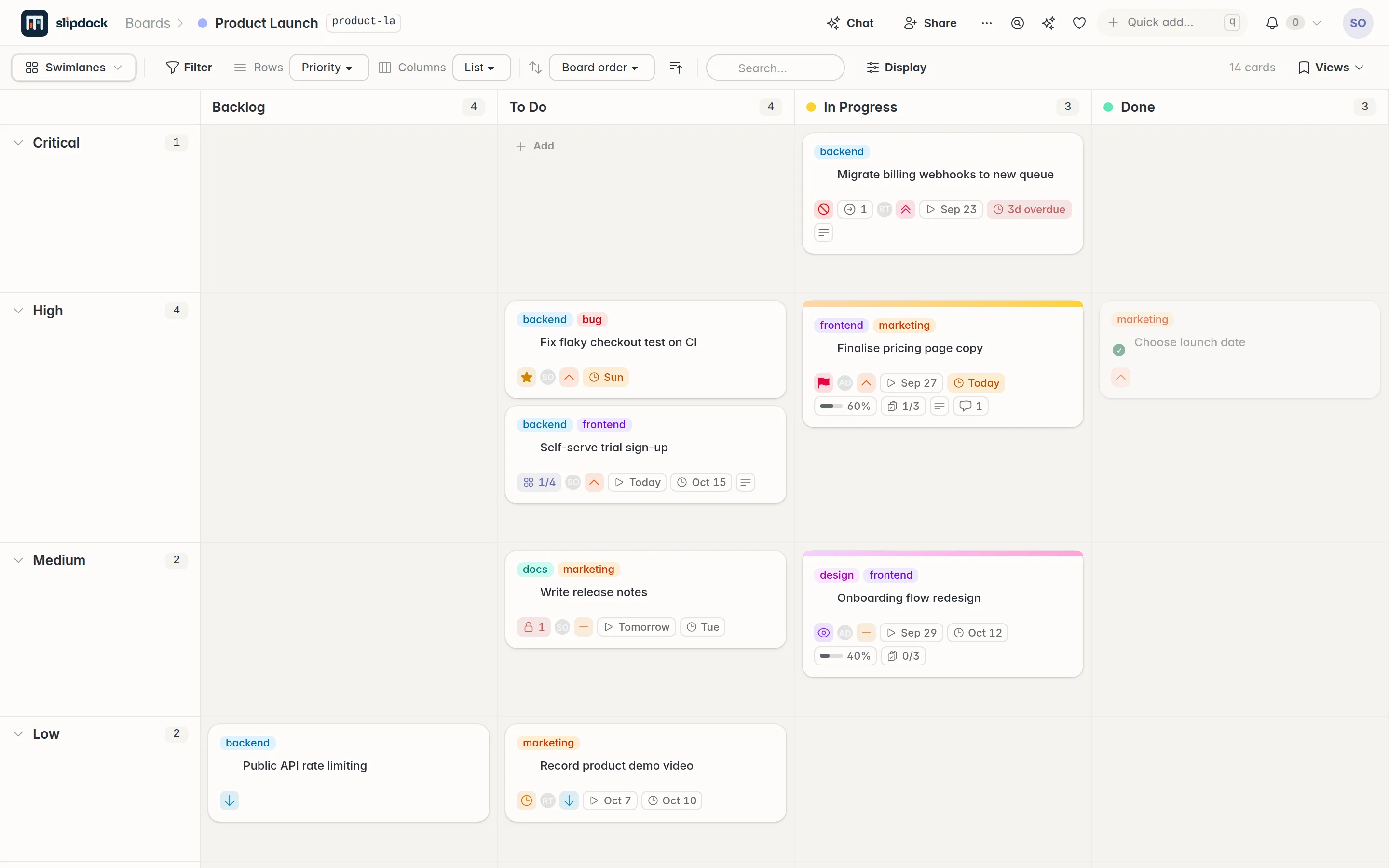
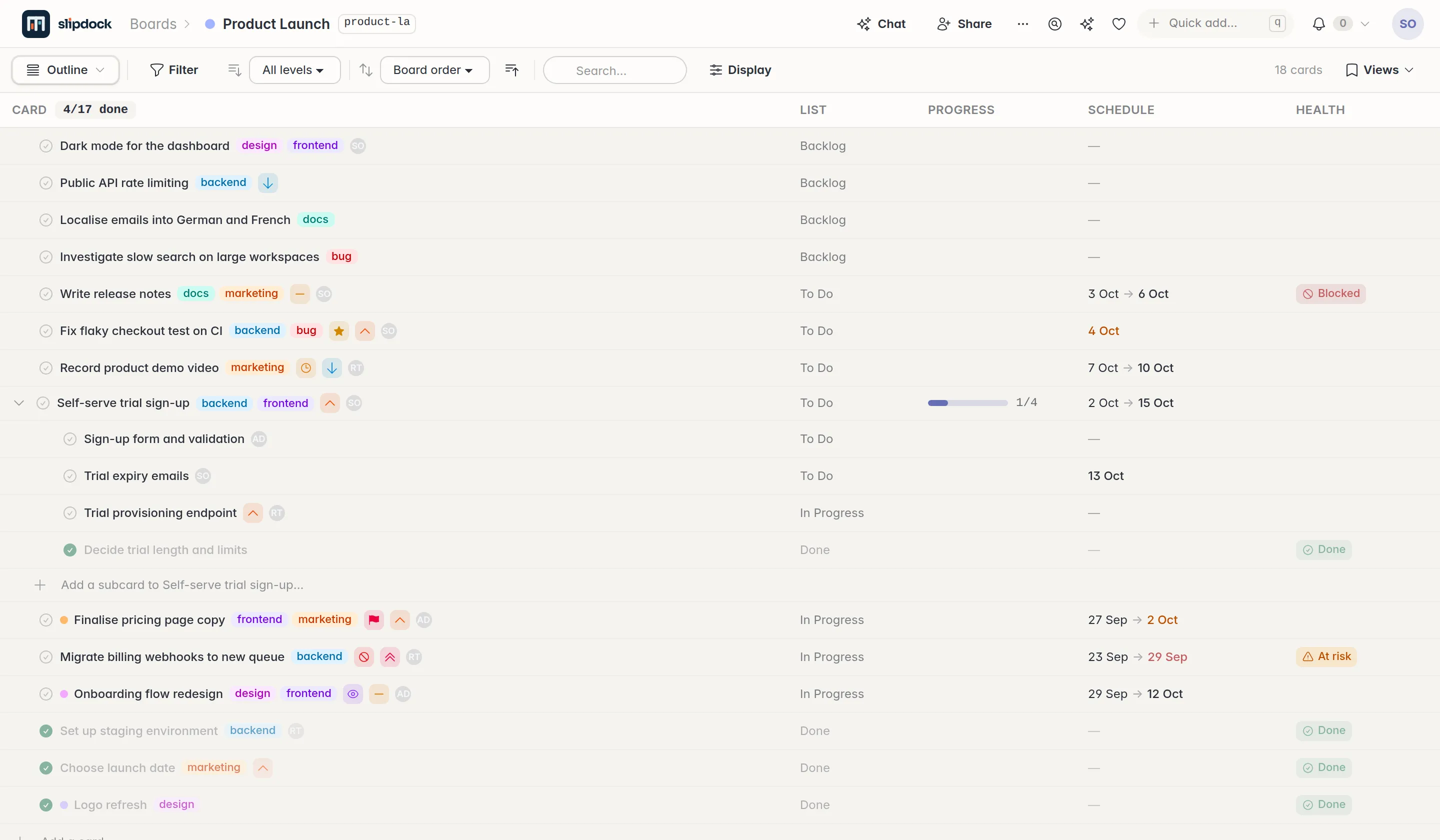
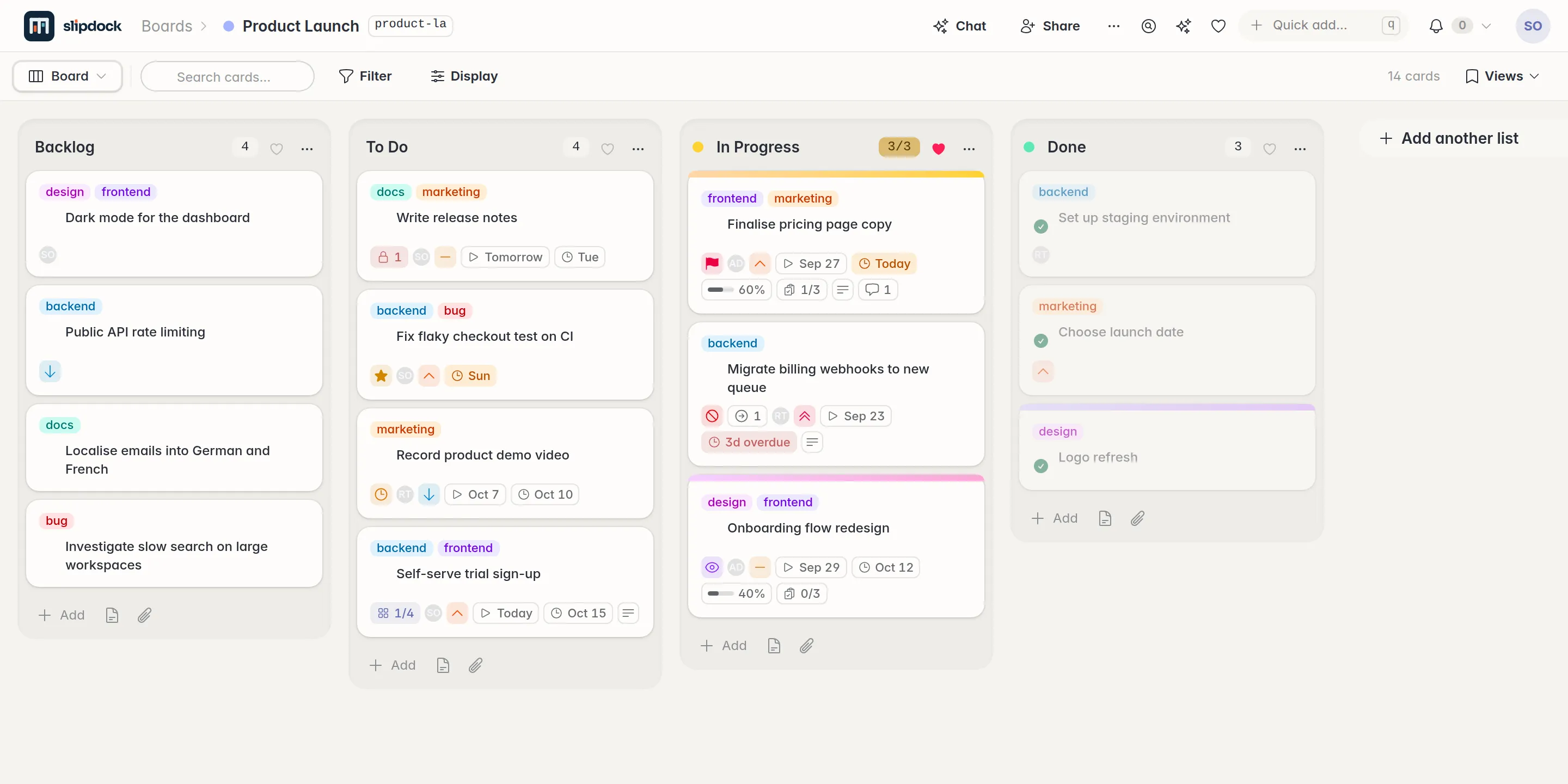
A Slipdock board with Backlog, To Do, In Progress and Done lists, each card showing tags, flags, dates and progress
Fig. 1 A board. Tags, five kinds of flag, dates, checklists and roll-up progress, all on the card face.

What it replaces

Built to replace

It came from thirty years of running projects and writing software, and from noticing that most of those tools exist to pass work between each other. Slipdock keeps the parts that help and leaves out the fluff.

01  Subcards

Any card can become a board of its own.

An epic and its tasks live in one place, nesting as deep as the work does. Open a card and you are on its board; close it and everything below rolls up to the card face.

Leaves done, effective dates, slip, anything blocked further down, and a health pill computed from all of it. The outline view shows the whole tree at once, and My work gathers everything assigned to you across every board.

02  Views

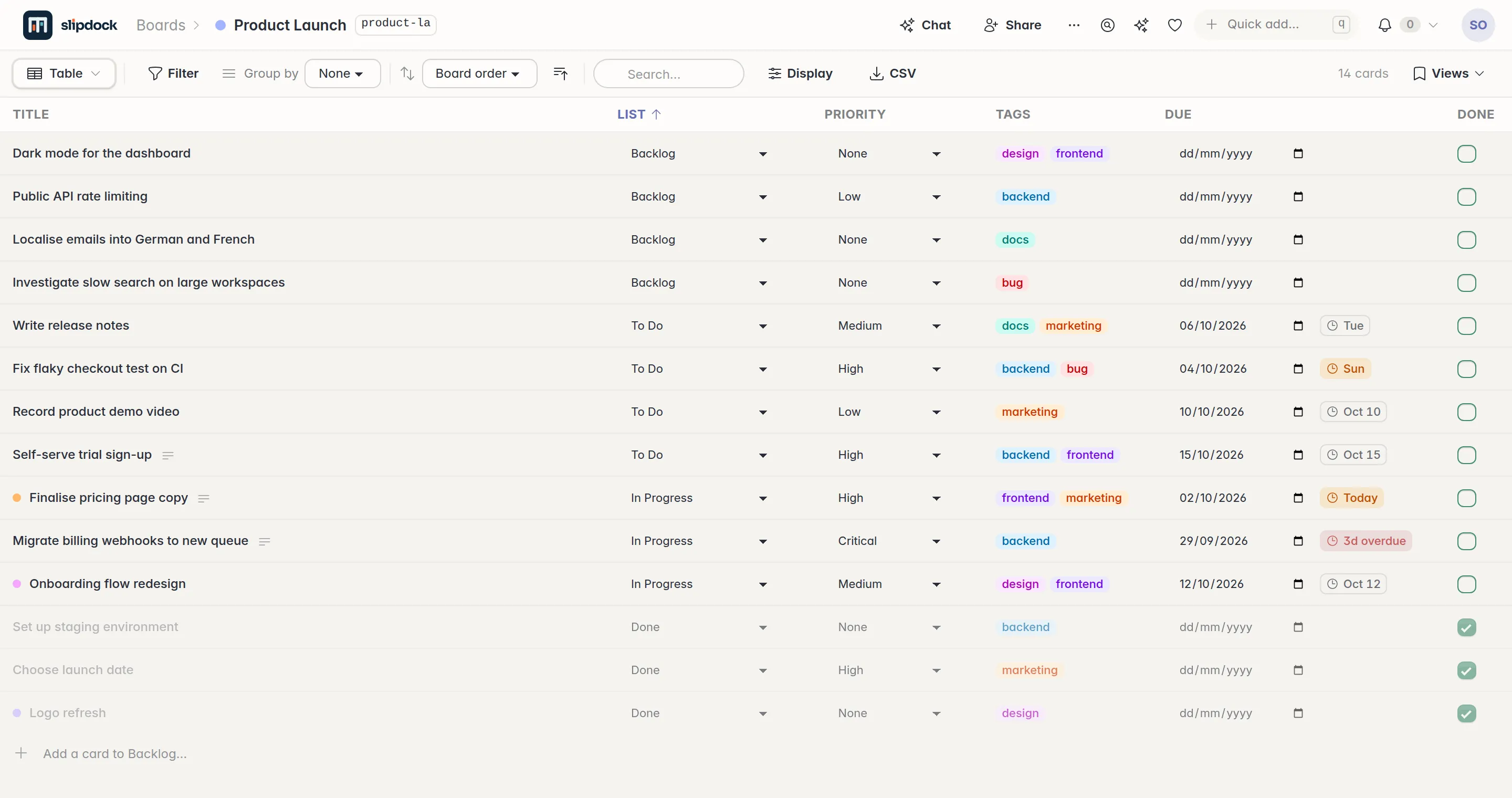
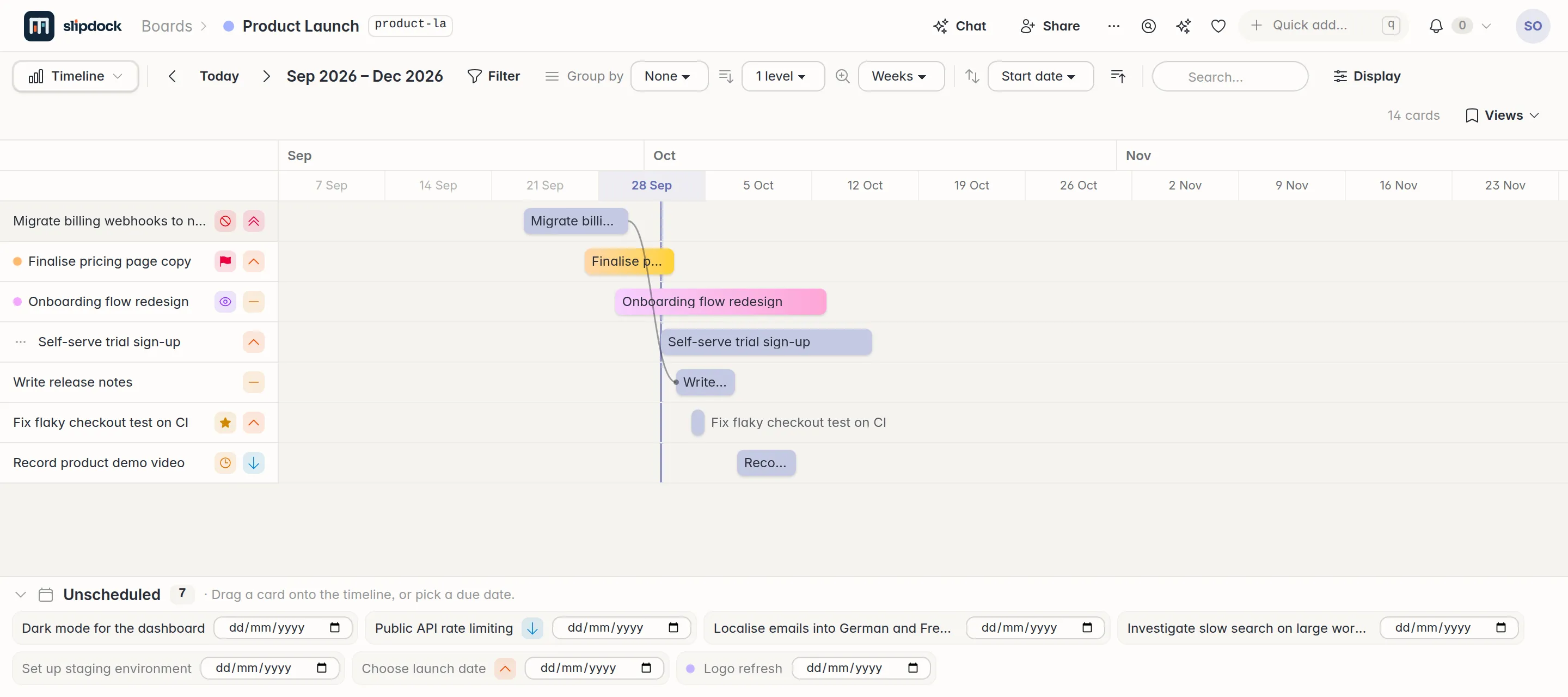
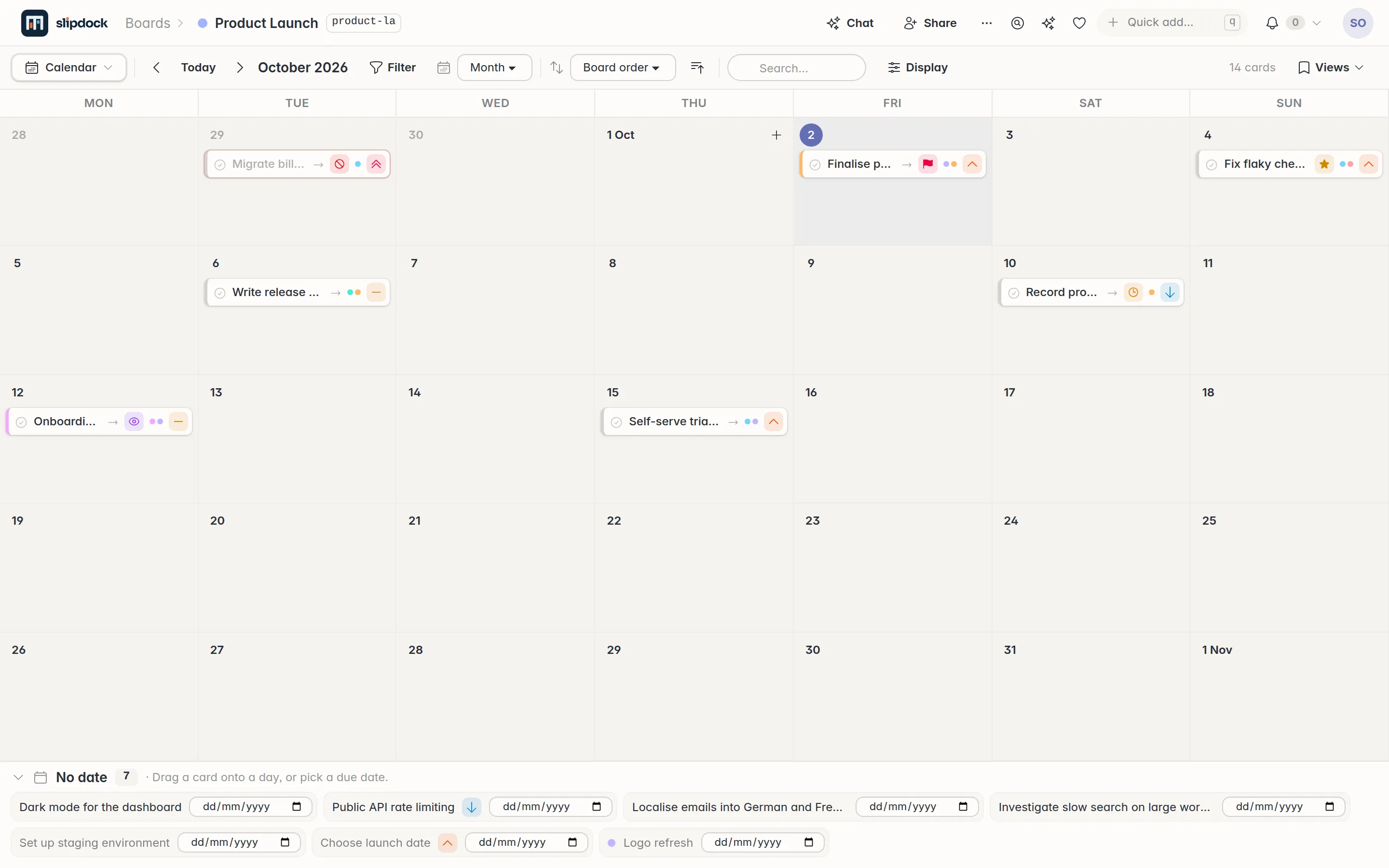
Seven views of the same cards.

Nobody keeps a second copy. Each view has its own filters and display options, and any of them can be saved, shared or published.

The board view of a Slipdock board
Fig. 2.1 Lists and cards. Drag, drop, flag, and see roll-up health at a glance.

03  Plain English

Tell it what you want, the way you would tell a colleague.

  1. Automate Flag any card that is more than 3 days overdue as urgent, and email [email protected].

    A model reads the sentence once and writes the rule. From then on the app runs it, on every change and on a timer.

  2. Command Split this card into 3 sub-cards.

    Edit mode shows you exactly what it will change. Nothing applies until you approve it.

  3. Ask Across all my boards, what tasks are slated to take less than a day?

    It searches every board you can see, then answers the question in prose.

  4. Find Where is the card about the invoicing bug that came in last week?

    Search by meaning, comments and status updates included. The card never has to say "invoice".

Your key, your call The AI features run on your own OpenRouter key. No key, no AI features, and nothing about your boards is sent anywhere on your behalf.

04  Wiki

The reasoning sits beside the work.

Every board carries a wiki. Markdown pages in a tree of folders, with [[links]], live card chips, live query blocks, backlinks, revisions, templates and public links.

So the decision about pricing is a page attached to the pricing cards, not a document in another product that nobody can find in six months.

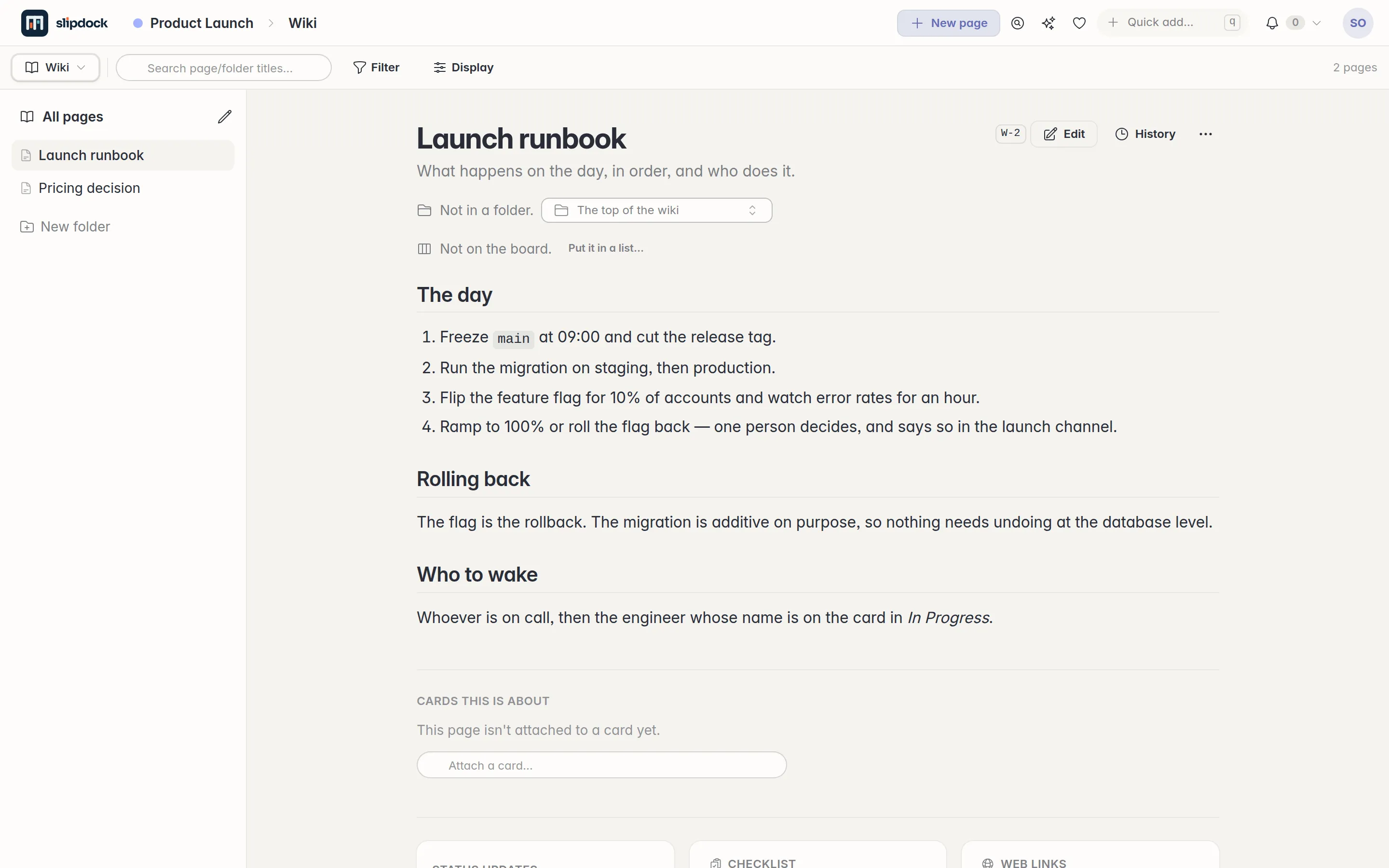
A wiki page called Launch runbook, beside the board it belongs to
Fig. 3 A runbook, filed on the board it runs.

05  API and CLI

Agents work the board the way a person does.

Everything the interface can do is in a JSON API and a command line tool. Chat with Claude or ChatGPT about your work, have it create the cards, and run loops off the back of them.

  • A device flow signs an agent in. You approve it in a browser you are already using.
  • Tokens can be read-only, confined to named boards, and set to expire. Revoke any of them.
  • The server ships agent skills, and /api/guide describes your boards to whatever is driving them.

06  And the rest

The details that decide whether you keep using it.

LiveEveryone sees the same board
Built on Phoenix LiveView, so every browser looking at a board updates the moment anything changes. No refresh button.
PlanningRoadmaps without a second tool
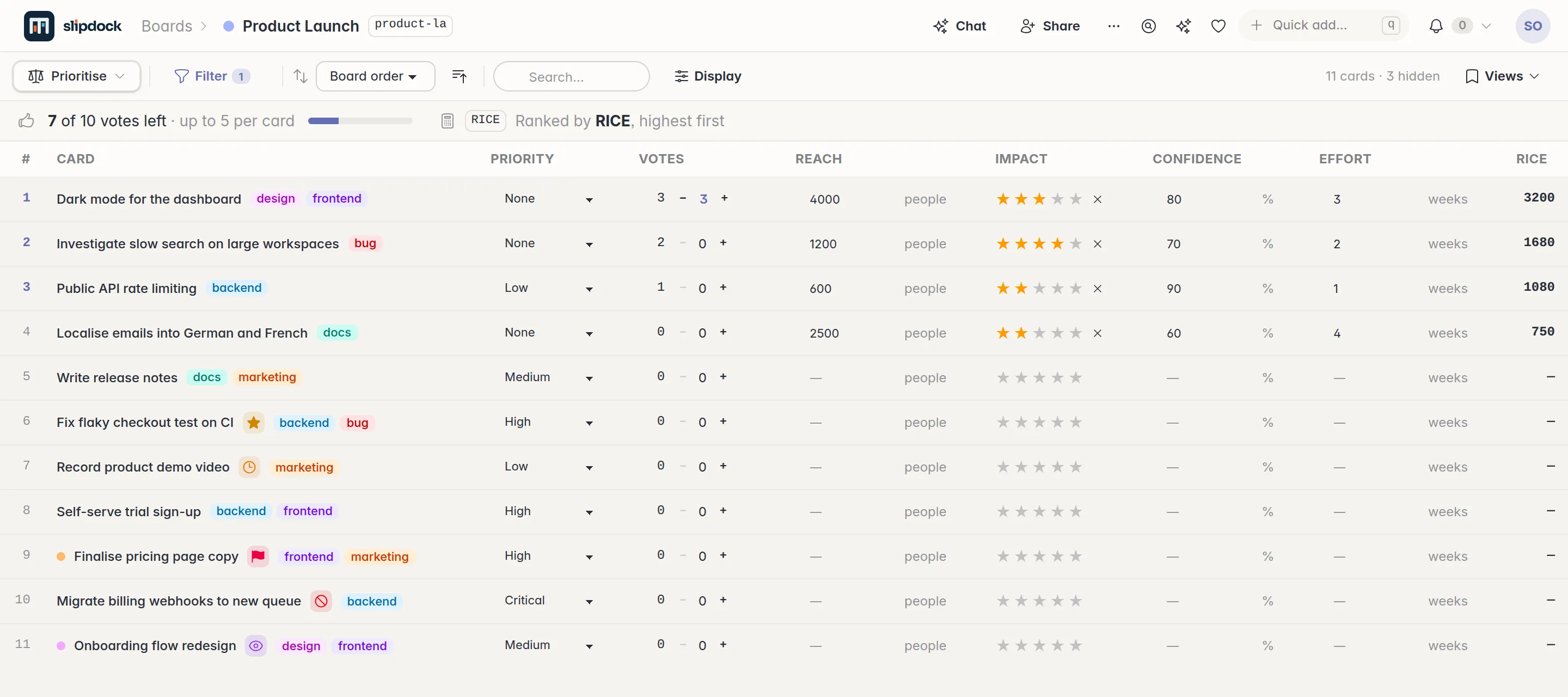
Dependencies with cycle detection, milestones, list horizons, formula fields for RICE and ICE, budget voting, typed links and goals.
SharingShare exactly what you mean to
Passwordless sign-in and groups. Read-only or editable grants on a whole board, a single card, one wiki page or a saved view.
PortableNothing here is a one-way door
A whole board tree exports to one JSON file that another Slipdock reads back: cards, subcards, fields, dependencies and the wiki.
NarrativeThe update writes itself
Pick a set of cards and a date range, and the Narrative view tells you what happened to them. Stakeholders get a story, not a ticket dump.
OnboardingA tour made of the thing it explains
Your first sign-in comes with a Getting Started board: a dozen real cards, an epic, subcards, a working automation and three wiki pages.
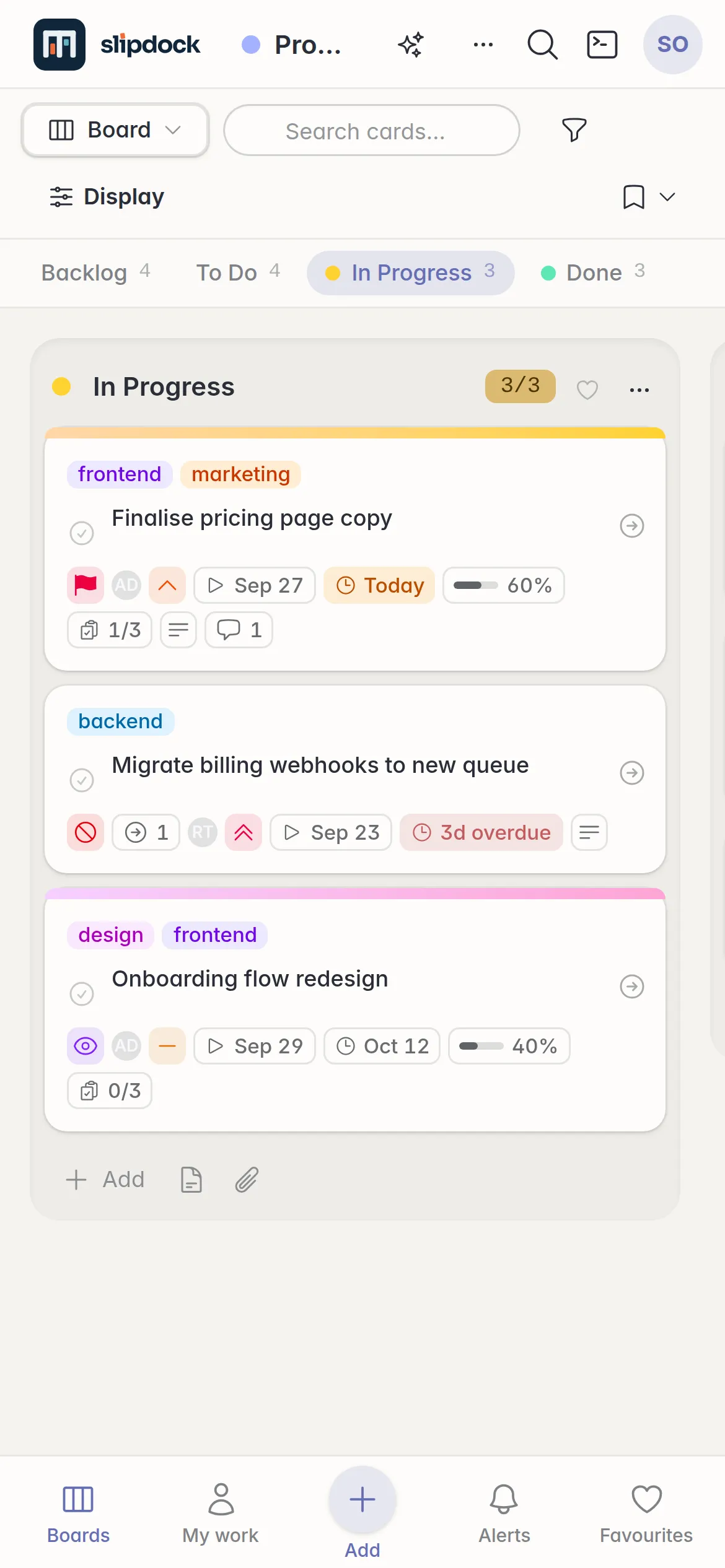
A Slipdock board on a phone, one list at a time with a bottom navigation bar
Fig. 4 Below 640px it becomes a pager, not a sideways scroll. On a desktop, there is a command palette and a key for every board.

Two ways aboard

Use ours, or run your own. Both are free.

The hosted app and the self-hosted one are the same software, with the same features.

Hosted

app.slipdock.us

Free forever

Every feature, nothing held back, for up to 20 cards. Sign in with your email and you are on a board in under a minute.

The limit counts cards on boards you own. Working on someone else's board costs you nothing.

Start on a board

Self-hosted

Your server

Free of charge

No card limit and no account with us. One Docker container and a SQLite database you can back up with tar.

  • Open source under the AGPL-3.0
  • Images for amd64 and arm64
  • Run it for yourself, a team, or as a small shared service
See the three steps

07  Self-host

Running in about five minutes.

You need Docker with the Compose plugin. There is nothing to clone and nothing to compile: the image is published, and a short script asks five questions and writes your settings.

Open the address you gave it, follow the setup wizard, and the server is yours. There are instructions for Windows, TLS proxies, backups and upgrades in the README.

  1. 1 Get the two files

    mkdir slipdock && cd slipdock
    curl -O https://raw.githubusercontent.com/dadamsuk/slipdock/main/compose.yaml
    curl -O https://raw.githubusercontent.com/dadamsuk/slipdock/main/setup.sh
  2. 2 Answer five questions

    sh setup.sh
  3. 3 Start it

    docker compose up -d

A word on how it was made

Built with AI. Not vibe coded.

Of course AI wrote a lot of it. But Slipdock started from three decades of managing projects and writing software, was planned before it was built, is held up by a serious test suite, and has been security reviewed by several different coding agents. It was made for a real job: running real projects, every day.